

Free Magic Number
Start with a free Magic Number where available.
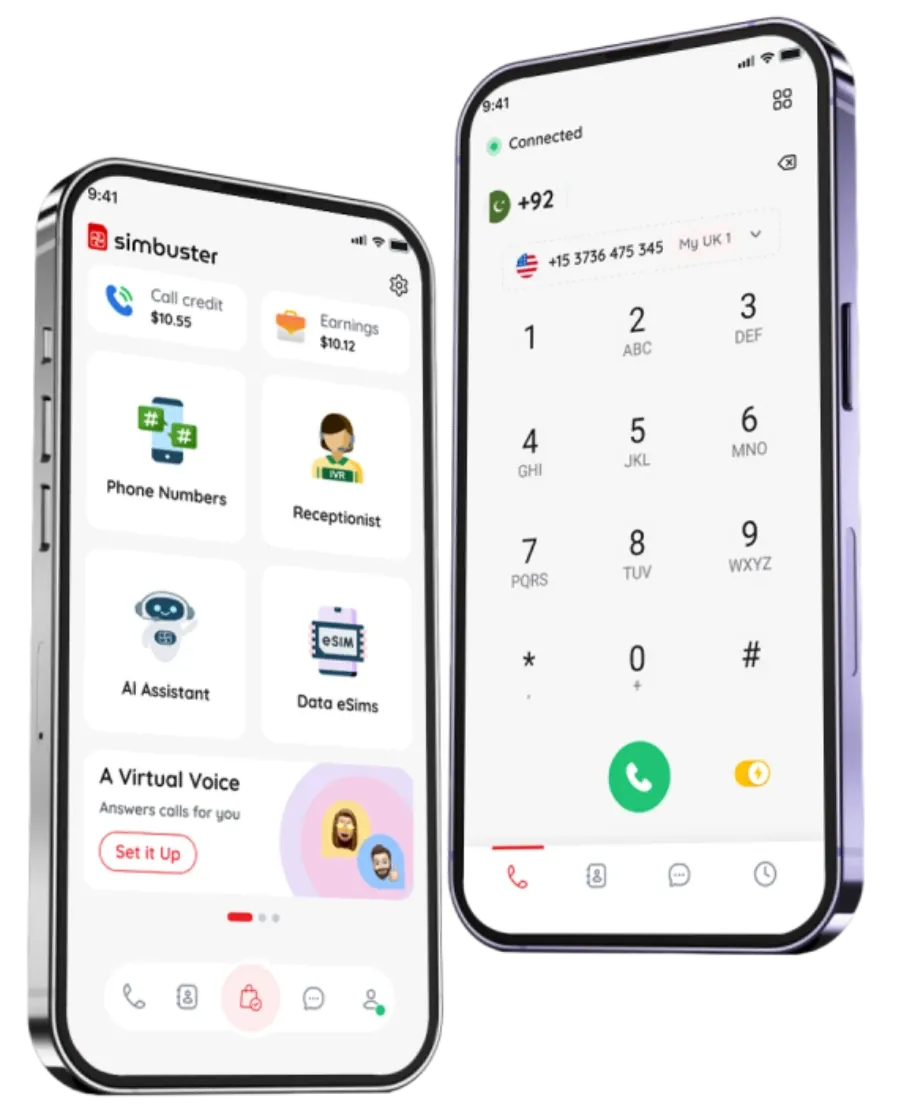
Get the all-in-one mobile communications app for second numbers, calls, eSIM data, mobile topups, AI receptionist tools, call credit, and rewards.
Download the app for instant access to local data plans worldwide.
Scan the QR code with your phone to open SimBuster in the app store.
Scan the QR code to download our app and access affordable local data plans in over 190 countries.
Stop paying carrier fees and start exploring for less.
Use the QR code or app store buttons, Download the app on iPhone or Android, Add numbers, eSIMs, credits, topups, or receptionist tools.
Scan or Tap
Install SimBuster
Start Connecting
Start with a free Magic Number where available.
Call, SMS, and speech credits do not expire.
Buy numbers, eSIMs, topups, and plans when needed.
Track balances, usage, renewals, and rewards.
Numbers, calls, eSIMs, topups, AI, and rewards.
Stay connected abroad with data, calls, and local tools.
Manage calls, routing, voicemail, and receptionist flows.
Separate work, privacy, family, and global communication.
Yes. SimBuster is free to download from the Apple App Store and Google Play. Some services, including paid phone numbers, calls, eSIM plans, mobile top-ups, SMS Credits, Speech Credits and AI plans, require payment.
Yes. SimBuster is available for supported iPhone and Android devices. Download the app from the Apple App Store or Google Play.
You can get a second phone number, make international calls, send and receive supported SMS messages, create a virtual receptionist, use an AI phone assistant, purchase travel eSIM data, send mobile top-ups and manage your SimBuster services from one app. Feature availability may vary by country, number type and device.
No additional physical SIM card is required for most SimBuster features. Phone numbers, calls, messages and smart call-handling tools work through the SimBuster app using an internet connection. Your device must support eSIM if you want to install a SimBuster travel eSIM plan.
Open your phone’s camera and scan the QR code shown on this page. Tap the link that appears to open the appropriate app-store listing, then download and install SimBuster. You can also use the Apple App Store or Google Play buttons directly.
Download SimBuster and manage your numbers, calls and communication services from your phone