Phone SystemFor Remote Teams
Give your remote team professional phone numbers, intelligent call routing, voicemail and automated answering—without installing a traditional office phone system.
One business number. Your team can work from anywhere.
Bring Your Remote Team Together
A remote team may work from different homes, cities or countries, but customers should still experience one professional business.
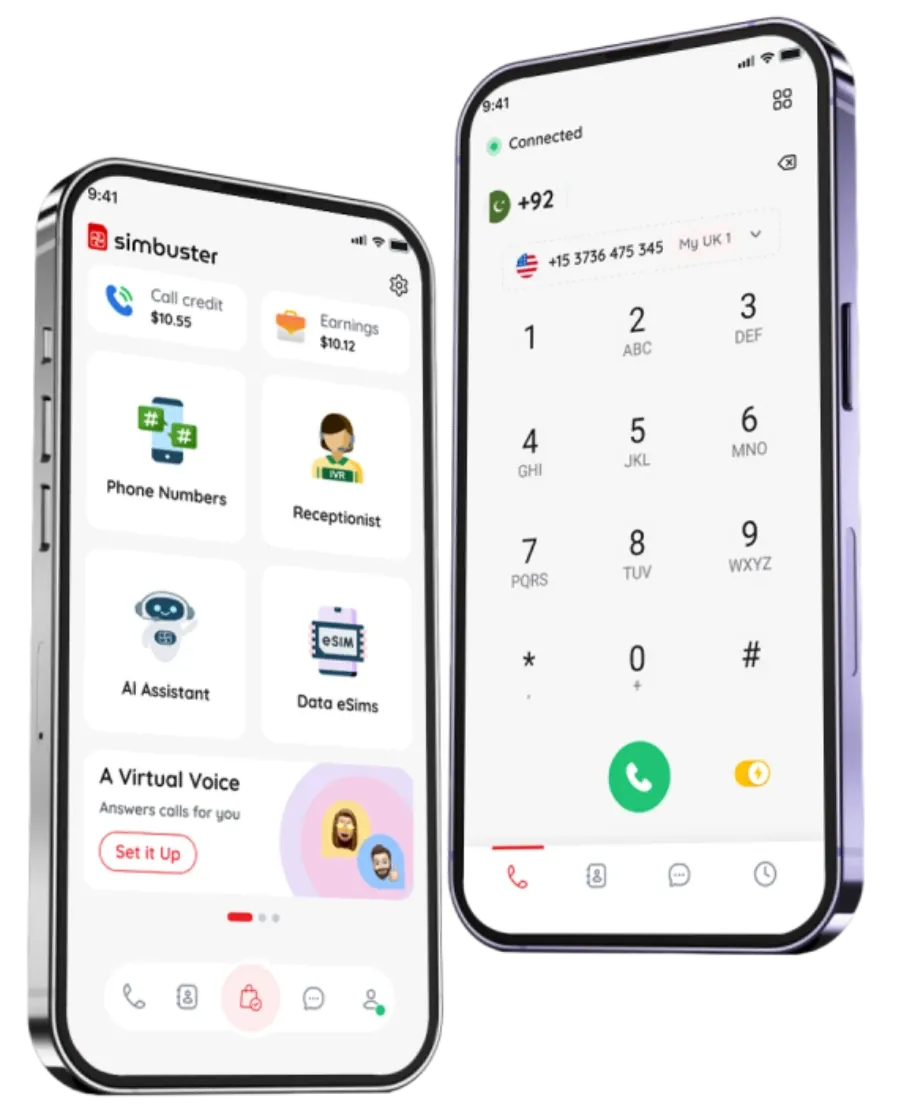
SimBuster gives your business phone numbers that can route calls to the right person, department, voicemail or automated assistant. Your team can answer calls using the phones they already carry without exposing personal numbers.
There is no need for office desk phones, complicated hardware or a fixed physical location. Your phone system moves with your business and can continue working wherever your team is based.
Use SimBuster for sales, customer support, bookings, enquiries, contractors, distributed teams and businesses operating across different time zones.

A Professional Business Number Without an Office
Your remote team should not need to publish personal mobile numbers or rely on one employee carrying the company phone.
Choose an available local, national, mobile or toll-free number and use it as the public contact number for your business.
Incoming calls can be directed according to how your team works. Send callers to a team member, another phone number, voicemail, an automated menu or an AI voice assistant.
This helps your business present one consistent identity even when employees are working from different locations.
SimBuster can help remote teams:
- Separate business and personal calls
- Answer calls from smartphones
- Route calls to different team members
- Provide a professional company greeting
- Collect voicemail when nobody is available
- Handle calls outside working hours
- Create different numbers for different markets
- Maintain a business presence without a physical office
Make Sure Every Call Reaches the Right Place
Remote businesses can easily miss calls when responsibilities are spread across several people.
A SimBuster virtual receptionist can guide callers through a simple menu and direct each enquiry to the appropriate person or destination.
For example:
- Press 1 for sales
- Press 2 for customer support
- Press 3 for accounts
- Press 4 to leave a message
You can also set business hours, out-of-office messages, timeout rules, fallback destinations and voicemail.
When your team is unavailable, an AI voice assistant can answer common questions, collect information and help callers without making them wait for someone to return.
This creates a more professional customer experience while reducing interruptions for your team.
FAQ
What is a phone system for remote teams?
A remote-team phone system allows employees to make, receive and route business calls without working from the same physical office. Calls can be managed through smartphones and virtual phone numbers.
Does my remote team need desk phones?
No. Team members can use compatible smartphones and the SimBuster app. Calls can also be forwarded to supported external phone numbers where required.
Can we use one business number for the whole team?
A business number can act as your main public contact number. Incoming calls can then be routed to different team members, departments, voicemail or automated destinations.
Can calls be routed to different team members?
Yes. Your call flow can direct callers to different people or destinations based on menu selections, availability, business hours and the routing options you configure.
Can team members keep their personal numbers private?
Yes. Customers can call your published SimBuster business number instead of receiving an employee’s personal mobile number.
Can we create a virtual receptionist?
Yes. SimBuster includes a visual receptionist builder that lets you create greetings, menus, call-routing paths, voicemail and fallback actions.
Can we use an AI assistant to answer calls?
A SimBuster AI voice assistant can answer supported calls, respond to common questions and collect information based on the setup and training you provide.
Can we set business hours?
Yes. You can configure different call behaviour during opening hours and outside them. For example, after-hours calls can be sent to voicemail, another number or an automated assistant.
What happens if nobody answers?
You can configure a fallback action such as forwarding the call, playing another message, sending the caller to voicemail or routing the call elsewhere.
Can we get phone numbers in different countries?
You can choose from the countries and number types currently available inside SimBuster. Availability and documentation requirements vary by location.
Can a remote team use local phone numbers?
Local numbers are available in supported countries and regions. Some local numbers require an individual or business address within the relevant area.
Can we have different numbers for sales and support?
You can obtain multiple available phone numbers and use them for different teams, departments, markets or campaigns.
Can remote employees answer calls from different countries?
Remote workers can use SimBuster from supported locations with a suitable internet connection. Call availability and local restrictions may vary.
Can we transfer calls between team members?
Calls can be routed to configured team members or destinations. The exact transfer and routing options depend on the selected setup and supported app functionality.
Does SimBuster support voicemail?
Yes. You can send unanswered or out-of-hours calls to voicemail and configure the message callers hear.
Can we use SimBuster for customer support?
Yes. Businesses can use numbers, call menus, routing, voicemail and AI answering to manage customer enquiries more professionally.
Can freelancers and contractors be included?
You can route relevant calls to configured destinations without publishing the contractor’s personal number. Remove or change the routing when the project finishes.
Do we need technical knowledge to set it up?
No traditional telephone-system knowledge is required. SimBuster uses a visual mobile-first flow builder to help you configure how calls should be handled.
Is SimBuster suitable for small businesses?
Yes. It is designed for businesses that need professional phone features without installing a traditional office telephone system.
Can we continue using our existing mobile phones?
Yes. SimBuster is designed to work alongside your existing phone and SIM rather than requiring a separate business handset.
Popular Remote Team Phone System Searches:
Connect Your Remote Team
Give your business a professional phone number, route calls to the right people and keep your team connected wherever they work.