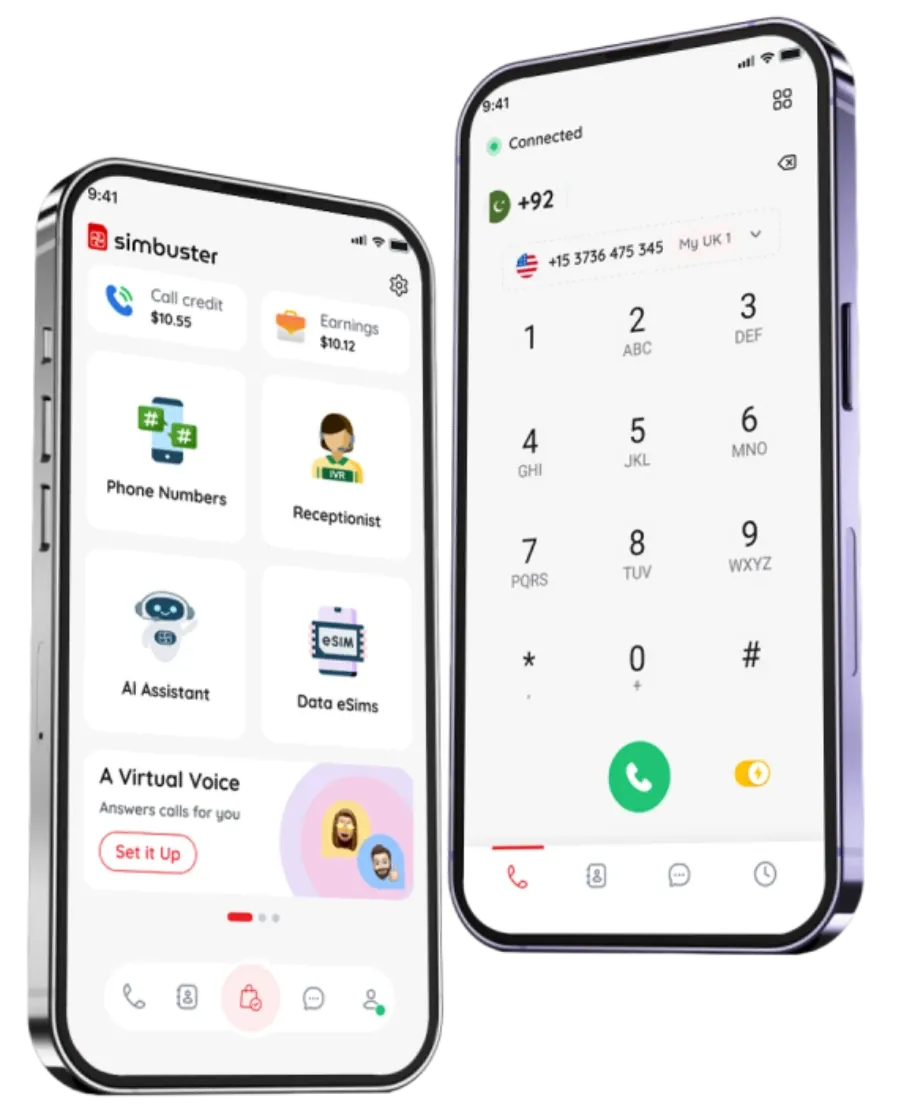
International CallsWithout the Expensive Rates
Call supported mobile and landline numbers around the world from the SimBuster app. Use Wi-Fi or mobile data and avoid relying on expensive international calling rates from your mobile network.
Choose a destination. Check the rate. Start calling.
Call Mobile and Landline Numbers Worldwide
The person you are calling does not need SimBuster or a smartphone app.
Enter a supported international phone number inside SimBuster and call it directly. The call can connect to an ordinary mobile or landline number in the destination country.
This makes SimBuster useful for calling:
- Family and friends overseas
- International customers
- Hotels and accommodation
- Airlines and travel companies
- Banks and service providers
- Suppliers and business partners
- Remote employees
- Government offices
- Local businesses abroad
- People without internet calling apps
International calling availability varies by destination. Certain premium-rate, satellite, emergency and restricted numbers may not be supported.

Avoid Expensive Mobile-Network International Charges
Traditional mobile networks can charge high rates when you call another country directly from your normal SIM.
SimBuster routes supported international calls through the app using your internet connection. You pay using SimBuster call credit rather than allowing the call to be charged as a standard international call by your mobile operator.
Before calling, check the destination rate so you understand the expected cost.
You can use SimBuster over:
- Home Wi-Fi
- Office Wi-Fi
- Hotel Wi-Fi
- Airport Wi-Fi
- Mobile data
- A SimBuster travel eSIM
- Another compatible internet connection
Your internet or mobile-data provider may still charge for the data used during the call.
Useful at Home, Abroad and for Business
International calling is not only for travel.
People use SimBuster to remain connected with relatives, customers and companies in other countries without changing their main mobile plan.
For families
Speak with relatives overseas without asking everyone to install the same calling app.
For travellers
Call hotels, restaurants, airlines and local services before or during a trip.
For international businesses
Contact customers, suppliers and remote workers in different countries from one app.
For people living abroad
Stay connected with people and organisations back home from your existing smartphone.
For remote teams
Make international business calls without giving every employee an expensive mobile-network calling package.
International Calling and Travel eSIM in One App
International calling and mobile data are different services.
A travel eSIM gives your phone mobile data while you are abroad. International calling lets you call supported mobile and landline numbers.
You can use them together:
- Install a SimBuster travel eSIM.
- Connect to mobile data while travelling.
- Open SimBuster.
- Call supported international numbers through the app.
You can also use international calling with Wi-Fi or data from your existing SIM. A SimBuster travel eSIM is not required.
FAQ
What is international calling?
International calling means calling a phone number registered in another country. With SimBuster, supported international calls are made through the app using Wi-Fi or mobile data.
Can I call mobile and landline numbers?
Yes. You can call supported mobile and landline numbers in available destinations. Rates may differ depending on the country, network and number type.
Does the person I call need SimBuster?
No. The recipient can answer using their normal mobile phone or landline. They do not need the SimBuster app.
Do I need another SIM card?
No. SimBuster works alongside your existing phone and SIM. You can make supported calls using Wi-Fi or mobile data.
How much do international calls cost?
The price depends on the destination and number type being called. Check the current rate inside SimBuster before placing your call.
Are calls charged per minute?
International calls are generally charged according to the applicable destination rate and the duration of the call. The current rate is shown before calling.
Do I need to buy a monthly plan?
You can add call credit and pay for supported calls based on the applicable rate. Available calling plans or bundles may also be displayed inside the app.
Can I call internationally while travelling?
Yes. You can use SimBuster over a suitable Wi-Fi or mobile-data connection while travelling in supported locations.
Can I use SimBuster with a travel eSIM?
Yes. A travel eSIM can provide the mobile-data connection used by SimBuster while you are abroad. International calling and travel eSIM data are charged separately.
Can I call without an internet connection?
No. The SimBuster app requires a suitable internet connection, such as Wi-Fi or mobile data, to place calls.
Will my mobile network charge me for the international call?
The call itself uses SimBuster call credit rather than being placed as a standard international call through your mobile network. Your provider may still charge for the Wi-Fi or mobile data used.
Can I call every country?
SimBuster supports many international destinations, but availability can vary. Check the destination and current rate inside the app.
Can I call premium-rate or satellite numbers?
Certain premium-rate, satellite, emergency, short-code and restricted destinations may not be supported or may have different rates.
Can I use SimBuster for international business calls?
Yes. Businesses can use SimBuster to contact supported customers, suppliers, employees and service providers in other countries.
Can I call hotels and local businesses abroad?
Yes. You can call supported mobile and landline numbers belonging to hotels, restaurants, transport companies and other businesses.
What affects international call quality?
Call quality can depend on your internet connection, mobile-data signal, destination network and the route used to complete the call.
Can I call from Wi-Fi?
Yes. A stable Wi-Fi connection can be used to make calls through the SimBuster app.
Can I call using mobile data?
Yes. You can call using a suitable mobile-data connection. Data charges from your mobile provider may apply.
How do I enter an international phone number?
Select the destination country or enter the number using its international country code. For example, UK numbers use +44 and US numbers use +1.
Can I see the rate before calling?
The available destination rate should be displayed inside SimBuster before you place the call, allowing you to check the expected per-minute charge.
Popular International Calling Searches:
Start Calling Around the World
Make low-cost calls to supported mobile and landline numbers worldwide using Wi-Fi or mobile data.