Travel ConnectivityStay Connected Wherever You Go
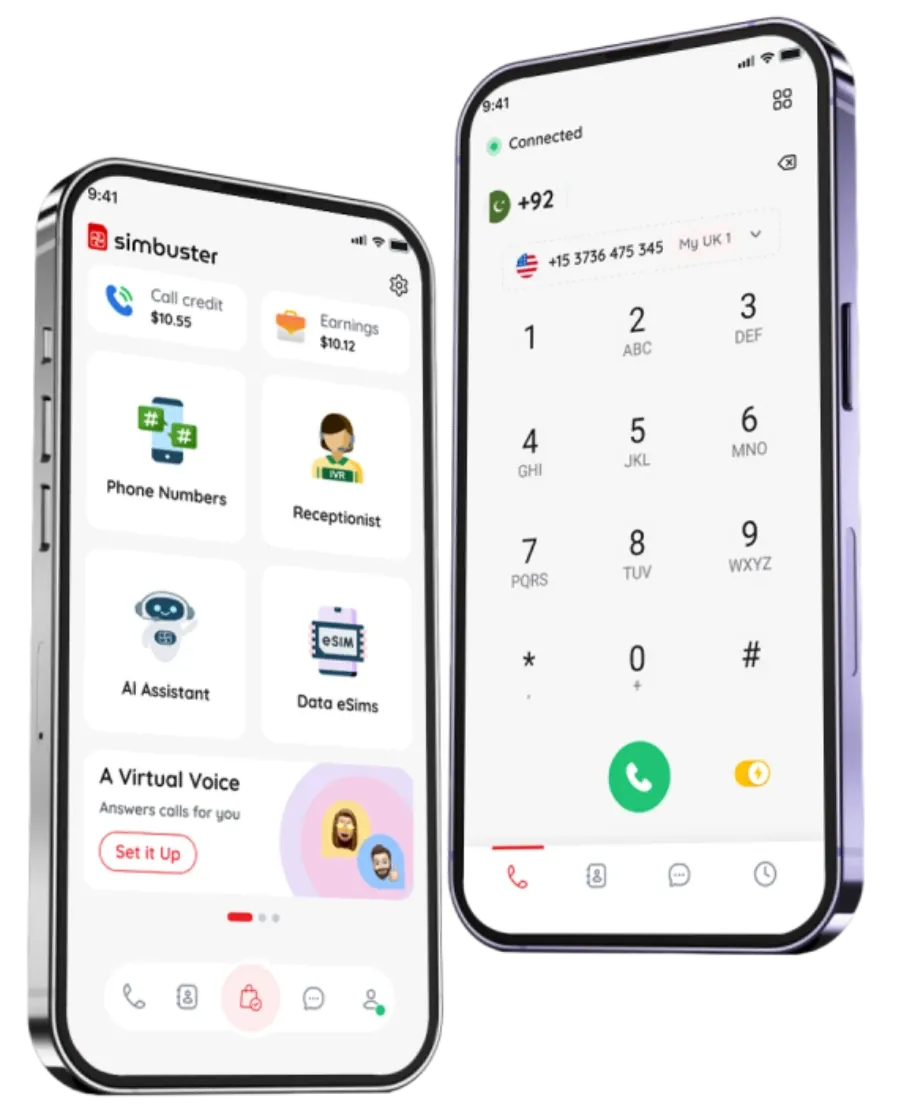
Get mobile data with a travel eSIM, make low-cost international calls and manage second phone numbers from one app—without relying entirely on expensive roaming.
Land. Connect. Call. Keep moving.
Mobile Data Without Changing Your Main SIM
A travel eSIM gives your compatible phone mobile data in supported destinations without requiring a physical SIM card.
Choose an available country, regional or global data plan, install the eSIM and connect to a supported local network when you arrive.
Use your travel data for:
- Maps and navigation
- Messaging apps
- Hotel and flight bookings
- Transport apps
- Online check-in
- Translation tools
- Social media
- Video calls
- Remote work
- SimBuster international calls
- Accessing your online accounts
Your travel eSIM provides mobile data. It does not automatically replace your main phone number or include traditional mobile calls and SMS unless specifically stated in the selected plan.
Keep Your Existing Number While You Travel
On a compatible dual-SIM phone, you can keep your normal SIM active while using a SimBuster travel eSIM for mobile data.
This means you may continue receiving calls or messages on your usual number while avoiding the need to use your home network for general internet access.
Before travelling:
- Install your travel eSIM.
- Set the travel eSIM as your mobile-data line.
- Turn off data roaming on your normal SIM.
- Enable data roaming for the travel eSIM if instructed.
- Check which line is selected for calls and SMS.
Your home mobile provider may still charge for calls, SMS or roaming activity on your normal SIM. Check its roaming terms before travelling.
Call Mobile and Landline Numbers While Abroad
Internet access solves only part of the travel-connectivity problem.
You may still need to call a hotel, airline, restaurant, bank, local business or family member who does not use the same messaging app.
SimBuster lets you make supported international calls to ordinary mobile and landline numbers using Wi-Fi or mobile data.
The person you call does not need SimBuster.
Use international calling for:
- Hotels and accommodation
- Airlines and airports
- Car-hire companies
- Restaurants
- Tour operators
- Banks and card providers
- Local businesses
- Family and friends
- Customers and colleagues
- Emergency travel assistance providers
Emergency-service numbers may not be supported. Always use the official local emergency-calling method available in your destination.
Add a Second Number for Travel
A second phone number can help you keep travel contacts separate from your personal mobile number.
Use an available SimBuster number when communicating with hotels, local services, temporary contacts, customers or people you meet while travelling.
Depending on the selected number and country, you may be able to:
- Receive calls
- Make calls
- Receive SMS
- Send supported SMS
- Use voicemail
- Forward calls
- Add a virtual receptionist
- Connect an AI voice assistant
Phone numbers and travel eSIMs are separate services. Buying a travel eSIM does not automatically include a phone number.
One App for Holidays, Business Trips and Remote Work
For holidays
Use maps, messaging, bookings and international calling without depending entirely on hotel Wi-Fi.
For business travellers
Stay connected to email, colleagues, customers and online meetings while moving between countries.
For digital nomads
Combine mobile data, international calls and multiple phone numbers while working remotely.
For frequent travellers
Install and manage supported travel plans without repeatedly buying physical SIM cards.
For families
Help everyone stay connected for navigation, messaging and travel updates.
For people living abroad
Call home, retain access to important accounts and manage numbers from different countries.
Travel eSIM, International Calling and Roaming Are Different
It is important to understand what each service does.
Travel eSIM
Provides mobile data through supported networks in the selected destination.
International calling
Lets you call supported mobile and landline numbers using SimBuster call credit and an internet connection.
Second phone number
Gives you an additional number for supported incoming or outgoing communication.
Traditional roaming
Uses your existing mobile operator’s network agreement while you are abroad and may result in separate roaming charges.
You can use these services together, but they are purchased and charged separately unless a specific offer says otherwise.
FAQ
What is travel connectivity?
Travel connectivity means having access to mobile data, calling and communication services while outside your home country. SimBuster combines travel eSIM data, international calling and second phone numbers inside one app.
What is a travel eSIM?
A travel eSIM is a digital SIM profile that provides mobile data in supported destinations. It can be installed without inserting or replacing a physical SIM card.
Does my phone support eSIM?
Many newer smartphones support eSIM, but not every model does. Check your phone settings, manufacturer specifications and whether the device is network-unlocked before purchasing a plan.
Do I need to remove my normal SIM?
No. On a compatible device, you can keep your physical SIM installed and use the travel eSIM as a second line for mobile data.
Can I keep my existing phone number while travelling?
Yes. Your existing SIM and number can normally remain active while the travel eSIM provides mobile data. Charges from your normal mobile provider may still apply.
Does a travel eSIM include a phone number?
Most travel eSIM plans are data-only unless clearly stated otherwise. A SimBuster second phone number is a separate service.
Can I make calls using a travel eSIM?
You can use the travel eSIM’s data connection to make supported calls through SimBuster or other internet-based communication apps.
Can I receive normal SMS on a travel eSIM?
Data-only travel eSIM plans normally do not include traditional mobile SMS. You may continue receiving SMS through your existing SIM, subject to your mobile provider’s roaming terms.
When should I install my travel eSIM?
Install it before departure while you have a reliable internet connection. Follow the activation instructions and avoid activating the plan too early when its validity starts on activation.
When does my eSIM plan begin?
The start point depends on the selected plan. Some plans begin when first connected to a supported destination network, while others may begin when installed or activated. Check the plan details before purchase.
Do I need to enable data roaming?
You may need to enable data roaming for the travel eSIM. This allows it to connect to supported partner networks and does not mean you should enable roaming on your normal SIM.
How do I avoid roaming charges on my normal SIM?
Set the travel eSIM as your mobile-data line, disable mobile-data switching and turn off data roaming for your normal SIM. Your home provider may still charge for calls and SMS.
Can I use WhatsApp with a travel eSIM?
Yes. WhatsApp can use the travel eSIM’s internet connection. Your existing WhatsApp number normally remains unchanged unless you choose to change it inside WhatsApp.
Can I use the eSIM for maps and navigation?
Yes. You can use supported mapping, transport and navigation apps through the travel eSIM’s mobile-data connection.
Can I use the eSIM as a mobile hotspot?
Hotspot and tethering support depend on the selected plan, network and device. Check the plan information before purchasing.
Can I use one eSIM in several countries?
Regional and global plans may work across multiple supported destinations. Country-specific plans are normally limited to the listed country.
Can I buy more data while travelling?
Available top-up or additional-plan options depend on the selected eSIM package. Check the app before your existing data allowance expires.
What happens when my data runs out?
Your mobile-data service may stop or become limited when the allowance is used. You may need to buy another plan or add more data where supported.
Can I call ordinary mobile and landline numbers?
Yes. SimBuster international calling can connect supported calls to normal mobile and landline numbers. The recipient does not need the SimBuster app.
How much do international calls cost?
Rates depend on the destination and number type. Check the current calling rate inside SimBuster before placing the call.
Can I get a local number for the country I am visiting?
You can choose from available SimBuster phone numbers. Some countries require local identification, proof of address or business documents.
Can I use SimBuster while connected to hotel Wi-Fi?
Yes. You can use supported SimBuster calling and communication features over a suitable Wi-Fi connection.
Will the eSIM work everywhere in the destination?
Coverage depends on local partner networks, signal strength, device compatibility and location. Service may be limited in rural, underground or remote areas.
Can I use SimBuster on a cruise or aeroplane?
Standard travel eSIM plans normally connect to supported terrestrial mobile networks. Maritime, in-flight and satellite networks may not be included and can carry separate charges.
Can I use a travel eSIM for remote work?
Yes. A suitable data plan can support email, messaging, cloud services and online meetings. Performance depends on local coverage and connection quality.
Does SimBuster replace local emergency services?
No. Internet calling may not support emergency numbers or location routing. Use the official emergency-calling method available in the country you are visiting.
Popular Travel Connectivity Searches:
Travel Smart. Stay Connected.
Download SimBuster to get travel eSIM plans and a second number for life on the move.